GitHub
GitHub is a widely used code repository platform, acquired by Microsoft, providing reliable version control hosting.
Learning Git
For those new to Git, comprehensive learning resources are available. One recommended resource is Git Complete: The definitive, step-by-step guide to Git by Jason Taylor, John Myers on Udemy, which provides detailed explanations of Git fundamentals.
GitHub Access Token
In later tutorials, we will be using GitHub's GitActions to automate a lot of tasks for us. To do so, we will need a personal access token for GitHub. To generate one, do the following:
Go to settings
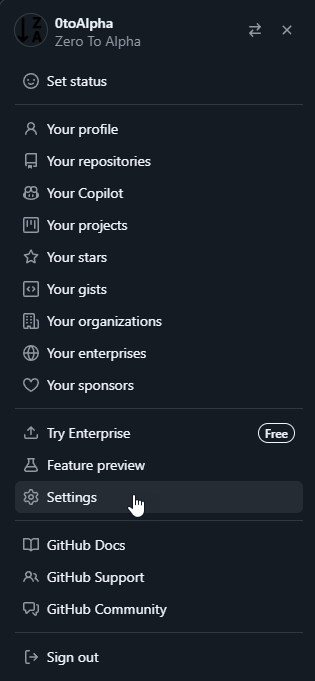
Scroll to the bottom and select "Developer settings"

From here we want to create a classic token
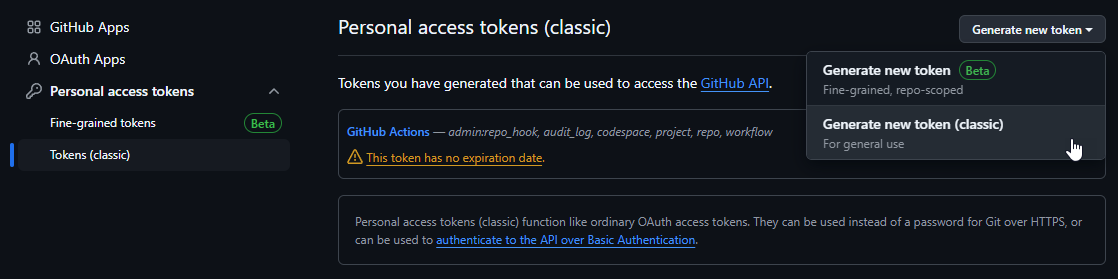
Configure the token with the following
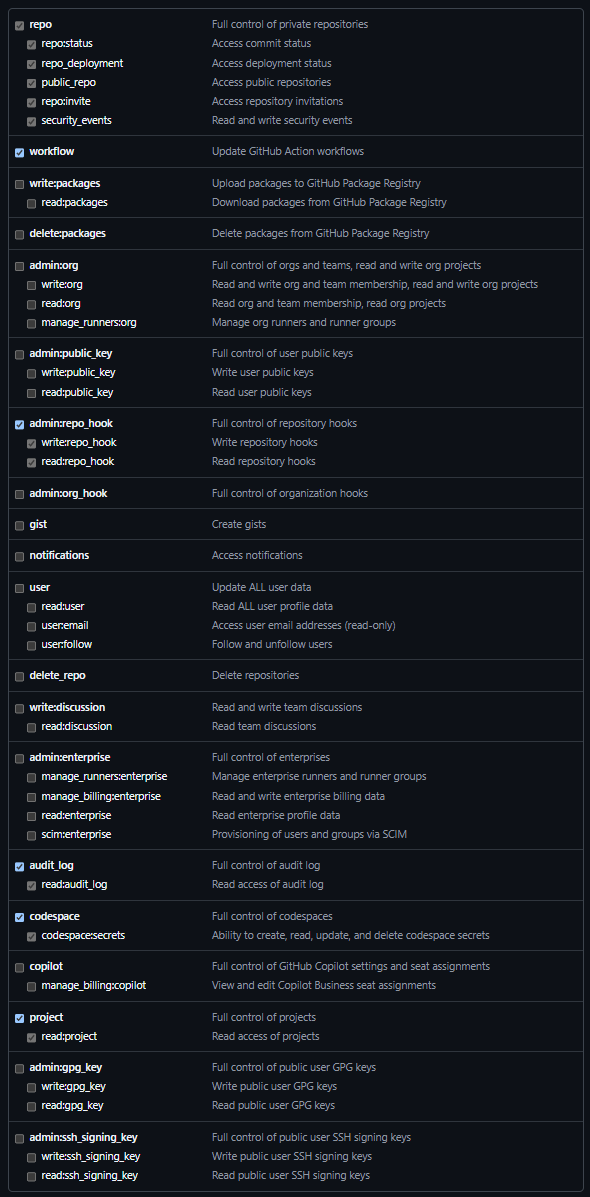
Save the token in a secure place, we will use this when automating builds.
Additionally, create a token for GHCR (GitHub Container Registry) with the following permissions:
- read:packages: Download container images and read their metadata
- write:packages: Download and upload container images, and read/write their metadata
- delete:packages: Delete container images
- repo and workflow scopes
While using separate tokens (one for Actions, one for Registry) is optional, separating tokens provides better security practices.