ArgoCD
We've gone a long ways now to having builds which we can use and deploy on Kubernetes. It's been a journey but we are almost there. Now we will use ArgoCD to automatically deploy our builds.
GitHub Manifest
Code
Create a GitHub repository to house the ArgoCD manifest. This example uses argocd-example.
The recommended directory structure is:
.github
  workflows
    clock-staging.yml
    clock-production.yml
staging
  clock
    application.yaml
    templates
      deployment.yaml
production
  clock
    application.yaml
    templates
      deployment.yaml
For this repository, you don't necessarily need a develop branch. GitHub will do most of the automation work so having a single main branch is fine.
Repository Settings
Ensure GitHub Actions are properly configured. Check "Allow all actions and reusable workflows" and set Workflow permissions to "Read and write permissions".
Application Templates
The application.yaml file tells ArgoCD how to run the application deployment and includes information for pushing Slack notifications. Key points:
- Replace repoURL with your specific username (this example uses a placeholder username only)
- Ensure a namespace called "example" exists on your Kubernetes cluster
apiVersion: argoproj.io/v1alpha1
kind: Application
metadata:
  name: clock
  namespace: argocd
  annotations:
    notifications.argoproj.io/subscribe.on-sync-succeeded.slack: staging
    notifications.argoproj.io/subscribe.on-sync-failed.slack: staging
    notifications.argoproj.io/subscribe.on-sync-status-unknown.slack: staging
    notifications.argoproj.io/subscribe.on-health-degraded.slack: staging
    notifications.argoproj.io/subscribe.on-deployed.slack: staging
spec:
  project: default
  source:
    repoURL: git@github.com:0toalpha/argocd-example.git
    targetRevision: HEAD
    path: "staging/clock/templates"
  destination:
    server: https://kubernetes.default.svc
    namespace: example
  syncPolicy:
    syncOptions:
    - CreateNamespace=true
    automated:
      selfHeal: true
      prune: true
Application Template
Under the template folder, we also have a deployment.yaml file. This tells argocd how to run the deployment.
kind: Deployment
apiVersion: apps/v1
metadata:
  name: clock
spec:
  replicas: 1
  selector:
    matchLabels:
      app: clock
  template:
    metadata:
      labels:
        app: clock
    spec:
      containers:
        - name: clock
          image: 0toalpha/clock:v0.1.0
          imagePullPolicy: Always
          env:
            - name: MESSAGE
              value: "Hello World"
            - name: AXIOM_DATASET
              valueFrom:
                secretKeyRef:
                  name: axiom
                  key: dataset
            - name: AXIOM_TOKEN
              valueFrom:
                secretKeyRef:
                  name: axiom
                  key: token
            - name: AXIOM_ORG_ID
              valueFrom:
                secretKeyRef:
                  name: axiom
                  key: orgId
          resources:
            requests:
              memory: "128Mi"
              cpu: 0.25
            limits:
              memory: "256Mi"
              cpu: 0.5
      imagePullSecrets:
        - name: dockerhub
      restartPolicy: Always
      hostNetwork: false
Notice this is where we have our environment variables set. We still need secrets for axiom under the example namespace. Let's do it real quick again. In the staging kubernetes server, create this script while inserting the correct secrets:
example.yaml
DOCKER_USERNAME=
DOCKER_API_TOKEN=
AXIOM_DATASET=staging
AXIOM_ORGID=
AXIOM_TOKEN=
# Create namespaces
kubectl create ns example
# Delete Secrets
kubectl delete secrets --all -n example
# Axiom secrets
kubectl create secret generic axiom --from-literal=dataset=$AXIOM_DATASET --from-literal=orgId=$AXIOM_ORGID --from-literal=token=$AXIOM_TOKEN --namespace example
# Dockerhub secrets
kubectl create secret docker-registry dockerhub --docker-server https://index.docker.io/v1/ --docker-username $DOCKER_USERNAME --docker-password $DOCKER_API_TOKEN --namespace example
Run the script via:
kubectl apply -f example.yaml
Git Actions
The git actions we have written here are used to tie into the event from when the build kicked off when we tagged our commit. We want the build to come back and kick off another git hub action to replace the build number in our manifests.
clock-staging.yml
name: ArgoCD Clock Staging
on:
  repository_dispatch:
    types: [clock-staging]
jobs:
  build:
    runs-on: ubuntu-latest
    steps:
    - uses: actions/checkout@v2
    - name: Clock Update Image Version
      id: imgupd-clock-staging
      uses: mikefarah/yq@master
      with:
        cmd: yq eval '.spec.template.spec.containers[0].image = "${{ github.event.client_payload.image }}"' -i staging/clock/templates/deployment.yaml
    - uses: stefanzweifel/git-auto-commit-action@v4
      with:
        commit_message: Apply image ${{ github.event.client_payload.image }}
Notice the clock-staging event triggers this action.
clock-production.yml
name: ArgoCD Clock Production
on:
  repository_dispatch:
    types: [clock-production]
jobs:
  build:
    runs-on: ubuntu-latest
    steps:
    - uses: actions/checkout@v2
    - name: Clock Update Image Version
      id: imgupd-clock-production
      uses: mikefarah/yq@master
      with:
        cmd: yq eval '.spec.template.spec.containers[0].image = "${{ github.event.client_payload.image }}"' -i production/clock/templates/deployment.yaml
    - uses: stefanzweifel/git-auto-commit-action@v4
      with:
        commit_message: Apply image ${{ github.event.client_payload.image }}
Preparing ArgoCD Repository
Remember when we added ssh keys to GitHub? It's time to retrieve the id_rsa file.
The id_rsa file should start and end with
-----BEGIN OPENSSH PRIVATE KEY-----
-----END OPENSSH PRIVATE KEY-----
Now to go the ArgoCD Dashboard and go to Settings > Repositories
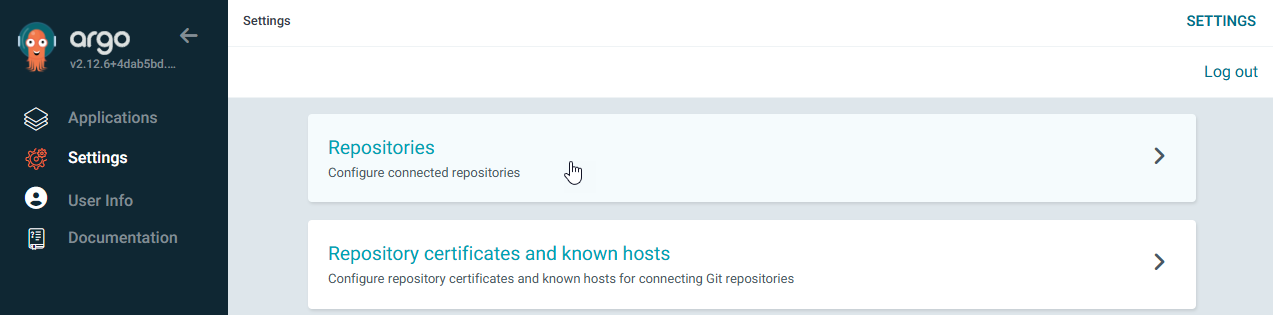
Select "+ Connect Repo"

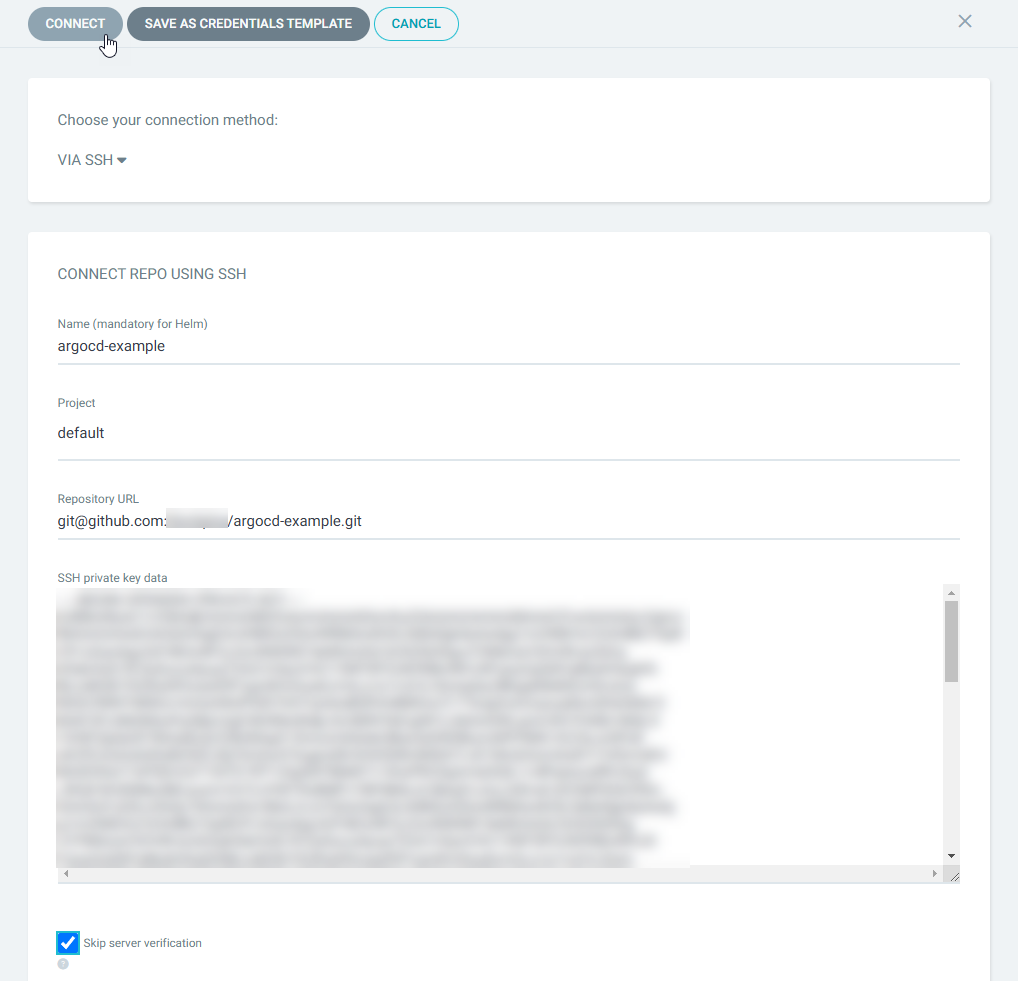
Configure the argocd-example repo and check "Skip server verification"
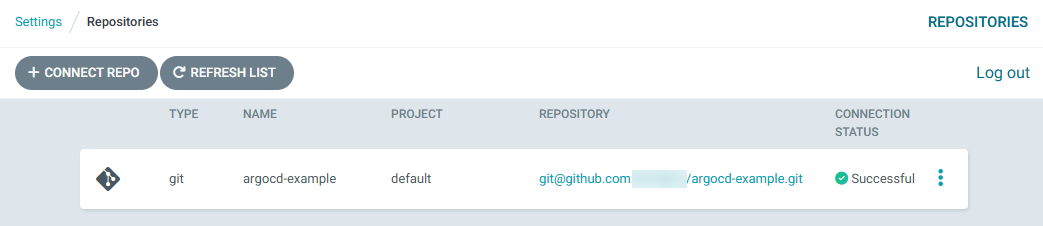
Check the repo status.
Initializing ArgoCD Application
On the kubernetes server, git clone the argocd-example. Navigate to staging > clock and run the following:
kubectl apply -f application.yaml
ArgoCD Dashboard
Back on the ArgoCD Dashboard, you should now see the application being loaded.
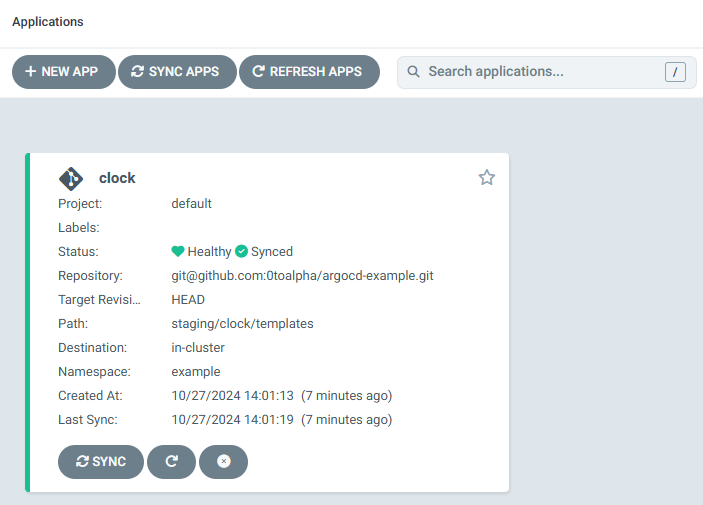
Let's check on Axiom that it is running by checking the logs
Open Axiom and check the logs being pushed from the running application.
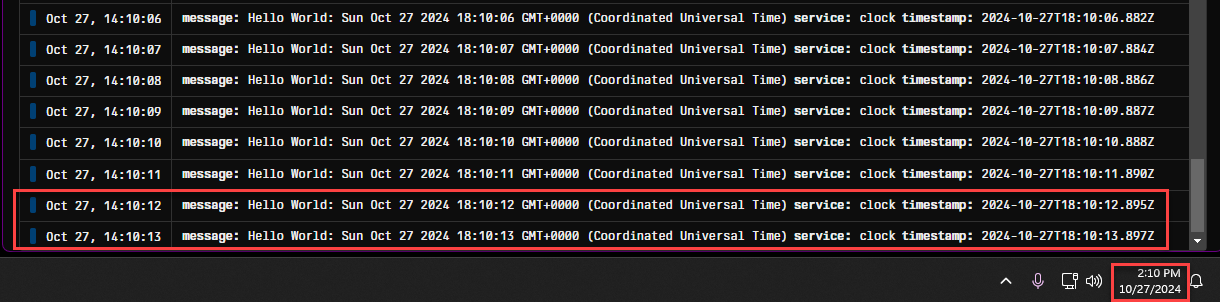
To demonstrate automatic deployment, modify the application code. Create a feature branch from develop called feature/message and update the code to include version logging. The new version should log updates every minute instead of every second. This demonstrates that code changes triggers automatic container builds and deployments to the server.
Reviewing Steps:
- Commit feature.
- Create pull request to develop.
- You can watch in the pull request that a test build is done on the pull request.
- Once all checks are done and we are happy with the code, merge pull request.
- Create a tag on develop called v0.2.0 and push the tag.
- On GitHub > Actions, we can watch the build on v0.2.0.
- Once the build has been completed, it will trigger the version update on GitHub repo argocd-example. We can check the code and see that the version has updated.
Notice in argocd-example Actions, you can see the git action ran.
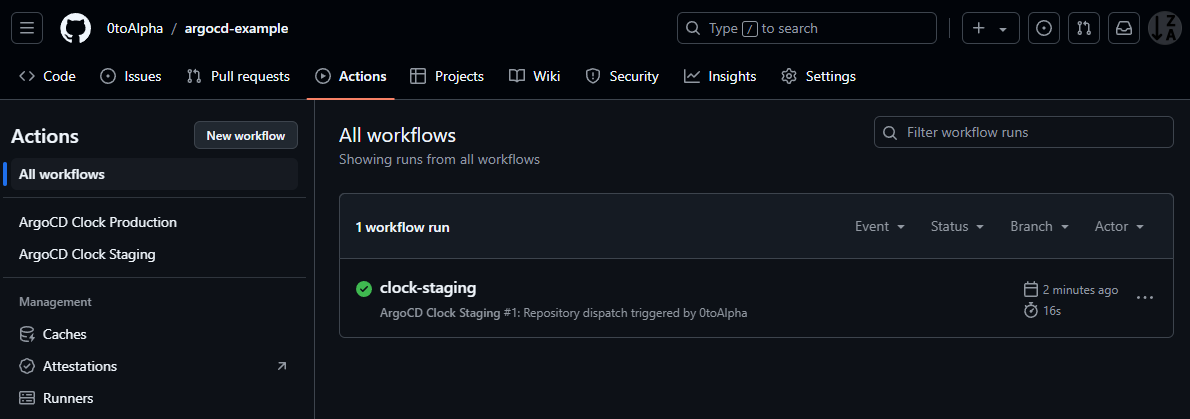
If you check the staging deployment.yaml file, you will notice the version has updated
kind: Deployment
apiVersion: apps/v1
metadata:
  name: clock
spec:
  replicas: 1
  selector:
    matchLabels:
      app: clock
  template:
    metadata:
      labels:
        app: clock
    spec:
      containers:
        - name: clock
          image: 0toalpha/clock:v0.2.0
...
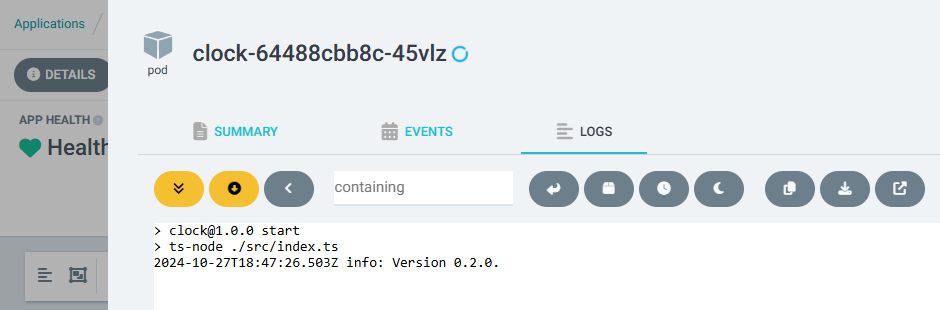
If you go to ArgoCD, select your application and the pod, you can view the logs. Notice the version output.