Containerization
Once your application is working, containerization is the next step. Containers can be thought of as lightweight Linux environments that encapsulate and run the application.
Requirements
Ensure Docker Desktop is installed
Git
To continue on, branch develop to feature/docker
Docker
To containerize this app, go to the root folder and create a Dockerfile file. It should contain the following:
FROM node:23-alpine3.19
WORKDIR /app
COPY package.json package-lock.json ./
RUN npm install
COPY . .
CMD [ "npm", "start"]
Using this Dockerfile will run the image as root user which is not very secure. In general, the image should be ran under a user that is configured on the host machine, in this case kubernetes host machines. Say you have a user called 'app' on the kubernetes server and agent virtual machines. Run command
id
This will get you the id and group of the user. Modify your Dockerfile as follows:
FROM node:23-alpine3.19
WORKDIR /app
COPY package.json package-lock.json ./
RUN npm install
COPY . .
USER 1000:1000
CMD [ "npm", "start"]
Note the USER is now the uid and gid of the host machine user you want to run under. This step is important in securing your image as well as achieving a higher Docker Scout score.
When building Docker images, you may want to exclude certain files. Add a .dockerignore file with the following entries:
.github
.env
/node_modules
/lib
To test if it can be containerized, run the following:
docker build .
After containerization is complete and the image exists in the local Docker repository, commit the changes to your feature branch.
Environment variables can be configured later through Kubernetes deployment manifests.
GitActions
Automating container builds and deployment is accomplished using GitHub Actions. These workflows are stored in the .github/workflows folder of your repository.
GitHub
Before proceeding, configure repository settings to enable GitHub Actions. Go to Settings > Actions > General and enable "Read and write permissions" and "Allow GitHub Actions to create and approve pull requests."
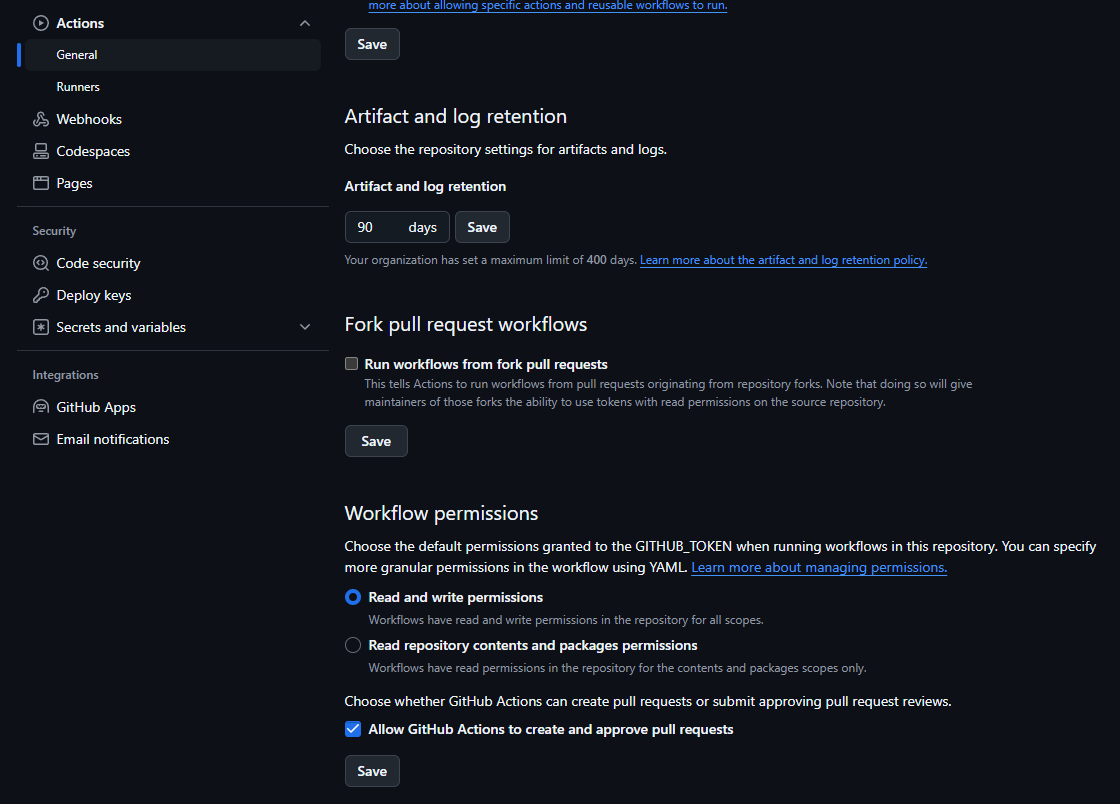
Environment variables are required in the repository configuration. Go to Secrets and variables > Actions and add the following:
- GHCR (github developer personal access token)
- PAT (github developer personal access token)
Code
Create a feature branch from develop named feature/gitActions.
Add a .github/workflows folder containing three GitHub Actions workflow files:
docker-pull-request-image.yml
name: Docker Pull Request Image CI
on:
  pull_request:
    types: [opened]
jobs:
  build:
    runs-on: ubuntu-latest
    steps:
      -
        name: Checkout
        uses: actions/checkout@v3
      -
        name: Set up QEMU
        uses: docker/setup-qemu-action@v2
      -
        name: Set up Docker Buildx
        uses: docker/setup-buildx-action@v2
      -
        name: Login to GHCR
        uses: docker/login-action@v2
        with:
          registry: ghcr.io
          username: ${{ github.actor }}
          password: ${{ secrets.GHCR }}
      - name: Extract metadata (tags, labels) for Docker
        id: meta
        uses: docker/metadata-action@v3
        with:
          images: ghcr.io/${{ github.repository }}:${{ github.ref_name }}
      -
        name: Build and push
        uses: docker/build-push-action@v3
        with:
          context: .
          platforms: linux/amd64,linux/arm64
          push: false
          client-payload: '{"image": "ghcr.io/${{ github.repository }}:${{ github.ref_name }}"}'
docker-staging-image.yml
name: Docker Staging Image CI
on:
  push:
    tags: ["v*"]
jobs:
  build:
    runs-on: ubuntu-latest
    steps:
      -
        name: Checkout
        uses: actions/checkout@v3
      -
        name: Set up QEMU
        uses: docker/setup-qemu-action@v2
      -
        name: Set up Docker Buildx
        uses: docker/setup-buildx-action@v3
      -
        name: Login to GHCR
        uses: docker/login-action@v3
        with:
          registry: ghcr.io
          username: ${{ github.actor }}
          password: ${{ secrets.GHCR }}
      - name: Extract metadata
        id: meta
        uses: docker/metadata-action@v5
        with:
          images: ghcr.io/${{ github.repository }}:${{ github.ref_name }}
      -
        name: Build and push
        uses: docker/build-push-action@v6
        with:
          context: .
          sbom: true
          platforms: linux/amd64
          push: true
          provenance: mode=max
          tags: ghcr.io/${{ github.repository }}:${{ github.ref_name }}:${{ github.ref_name }}
      -
        name: Repository Dispatch
        uses: peter-evans/repository-dispatch@v1
        with:
          token: ${{ secrets.PAT }}
          repository: ${{ github.actor }}/argocd-example
          event-type: clock-staging
          client-payload: '{"image": "ghcr.io/${{ github.repository }}:${{ github.ref_name }}:${{ github.ref_name }}"}'
Notice in the last step for Repository Dispatch, we have an event-type called clock-staging, this will be used later to update argocd manifests on version updates
docker-production-image.yml
name: Docker Production Image CI
on:
  push:
    tags: ['[0-9]+.[0-9]+.[0-9]+']
jobs:
  build:
    runs-on: ubuntu-latest
    steps:
      -
        name: Checkout
        uses: actions/checkout@v3
      -
        name: Set up QEMU
        uses: docker/setup-qemu-action@v2
      -
        name: Set up Docker Buildx
        uses: docker/setup-buildx-action@v3
      -
        name: Login to GHCR
        uses: docker/login-action@v3
        with:
          registry: ghcr.io
          username: ${{ github.actor }}
          password: ${{ secrets.GHCR }}
      - name: Extract metadata
        id: meta
        uses: docker/metadata-action@v5
        with:
          images: ghcr.io/${{ github.repository }}:${{ github.ref_name }}
      -
        name: Build and push
        uses: docker/build-push-action@v6
        with:
          context: .
          sbom: true
          platforms: linux/amd64
          push: true
          provenance: mode=max
          tags: ghcr.io/${{ github.repository }}:${{ github.ref_name }}:${{ github.ref_name }}
      -
        name: Repository Dispatch
        uses: peter-evans/repository-dispatch@v1
        with:
          token: ${{ secrets.PAT }}
          repository: ${{ github.actor }}/argocd-example
          event-type: clock-production
          client-payload: '{"image": "ghcr.io/${{ github.repository }}:${{ github.ref_name }}:${{ github.ref_name }}"}'
Notice in the last step for Repository Dispatch, we have an event-type called clock-production, this will be used later to update argocd manifests on version updates
Notice on Build and push, we have sbom and provenance set, these parameters help secure your base docker images with Docker Scout
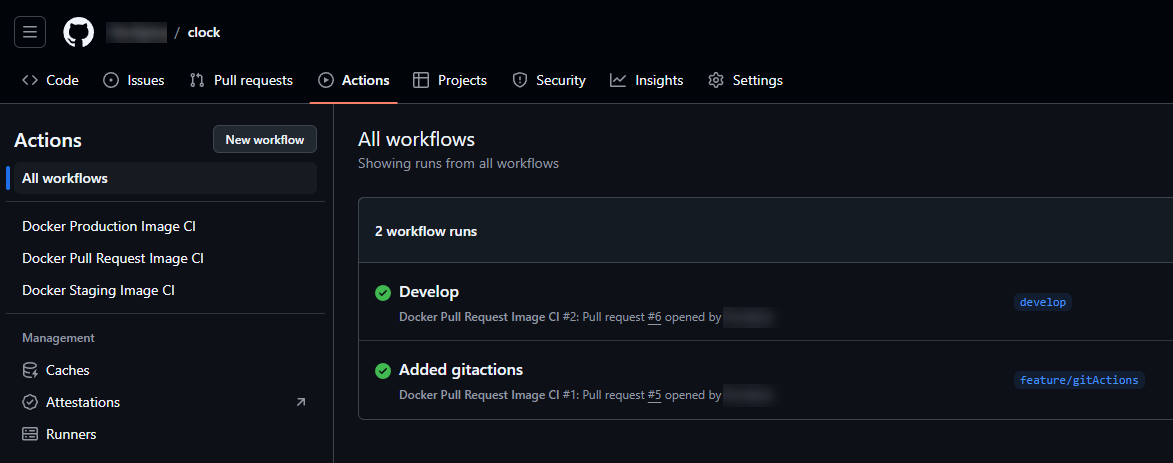
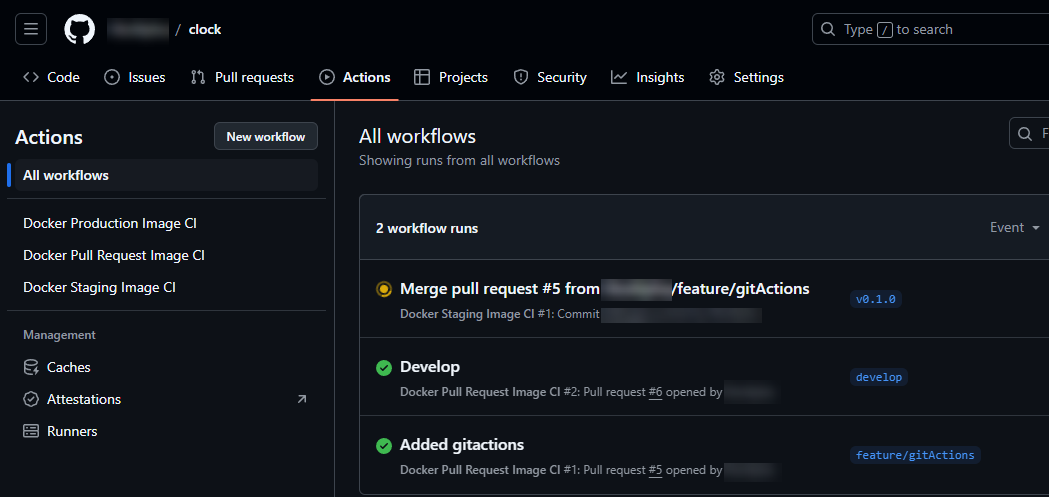
Now push your git feature and make pull requests to develop and into main. Go ahead and open up GitHub and select the 'Actions' tab. You will now notice that two builds were ran, one for Added Actions, and another for Develop. These were ran because of the pull request git action we just created.
Docker Hub
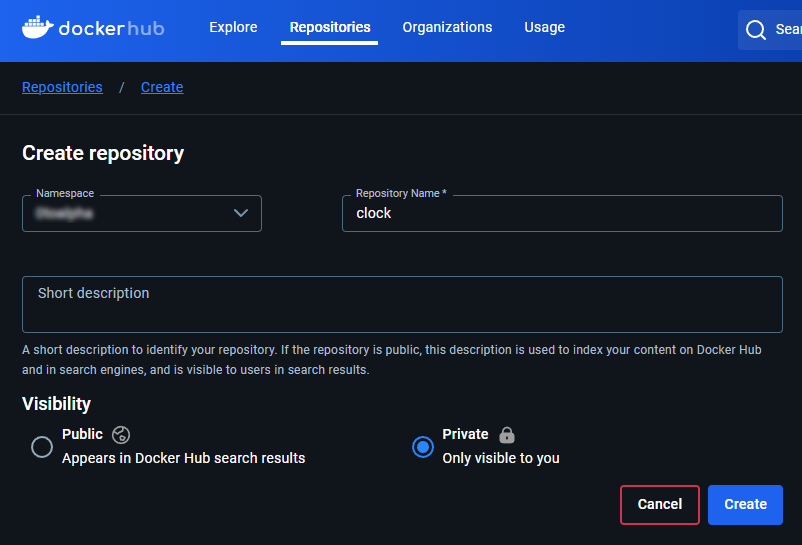
Now, no image was actually pushed to Docker at this point because we don't have a repository for clock on Docker Hub. Go ahead and create one.
Versioning and Tags
Now here comes the fun part, the git actions we added actually have settings so when we create tags in git, they will automatically build. Are you ready for this? Head over to GitKraken and right click on develop > Create tag here.
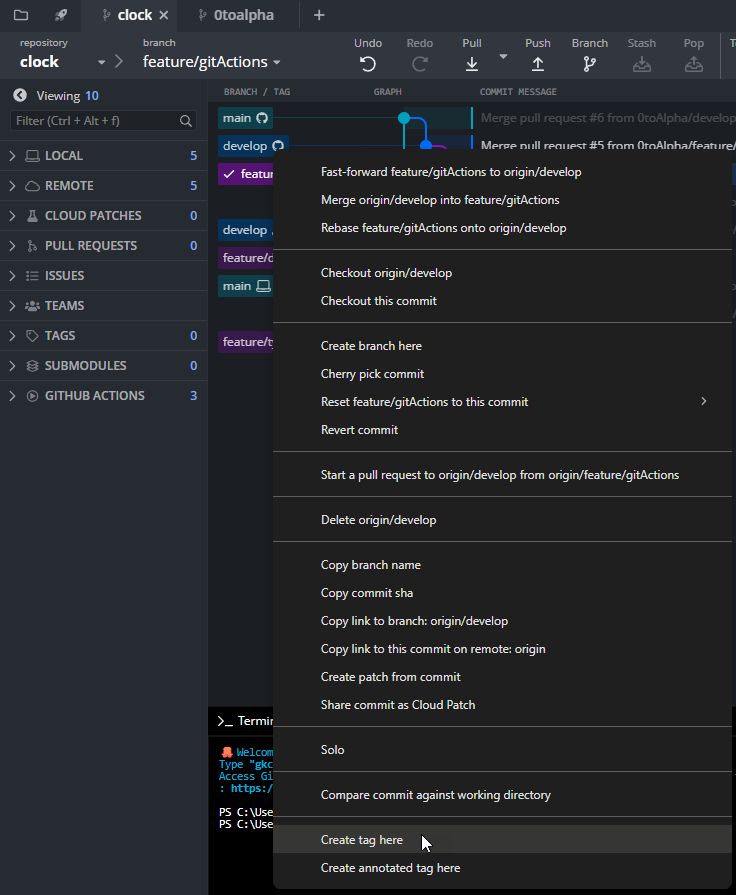
Tag the release with semantic versioning (format: major.minor.patch). For example, v0.1.0 represents a beta release with the first minor change. Push the tag to the repository:
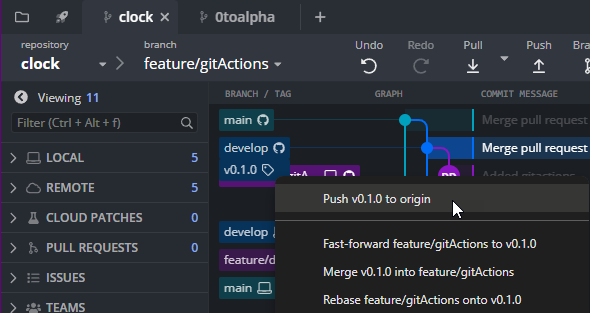
You may see a notification.

Head back over on GitHub > Actions and there it is, our image is automatically building!
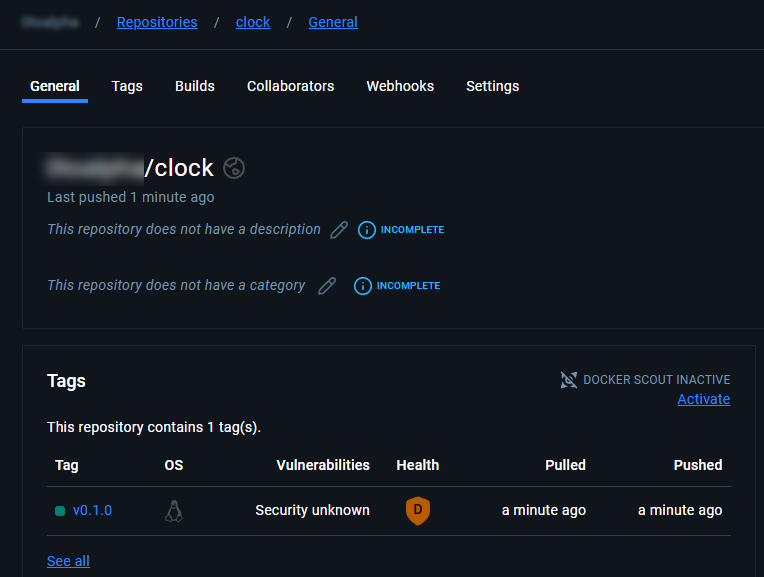
Head over to Docker Hub and open our repository. There it is, build v0.1.0.
Now, let's make a production build. For this right click on main and tag it 0.1.0 and push it.
Thoughts on Versioning
Semantic versioning provides a clear approach to versioning releases:
- 1st digit is release number
- 2nd digit is feature/bug/hotfix number
- 3rd digit is iterations of feature/bug/hotfix